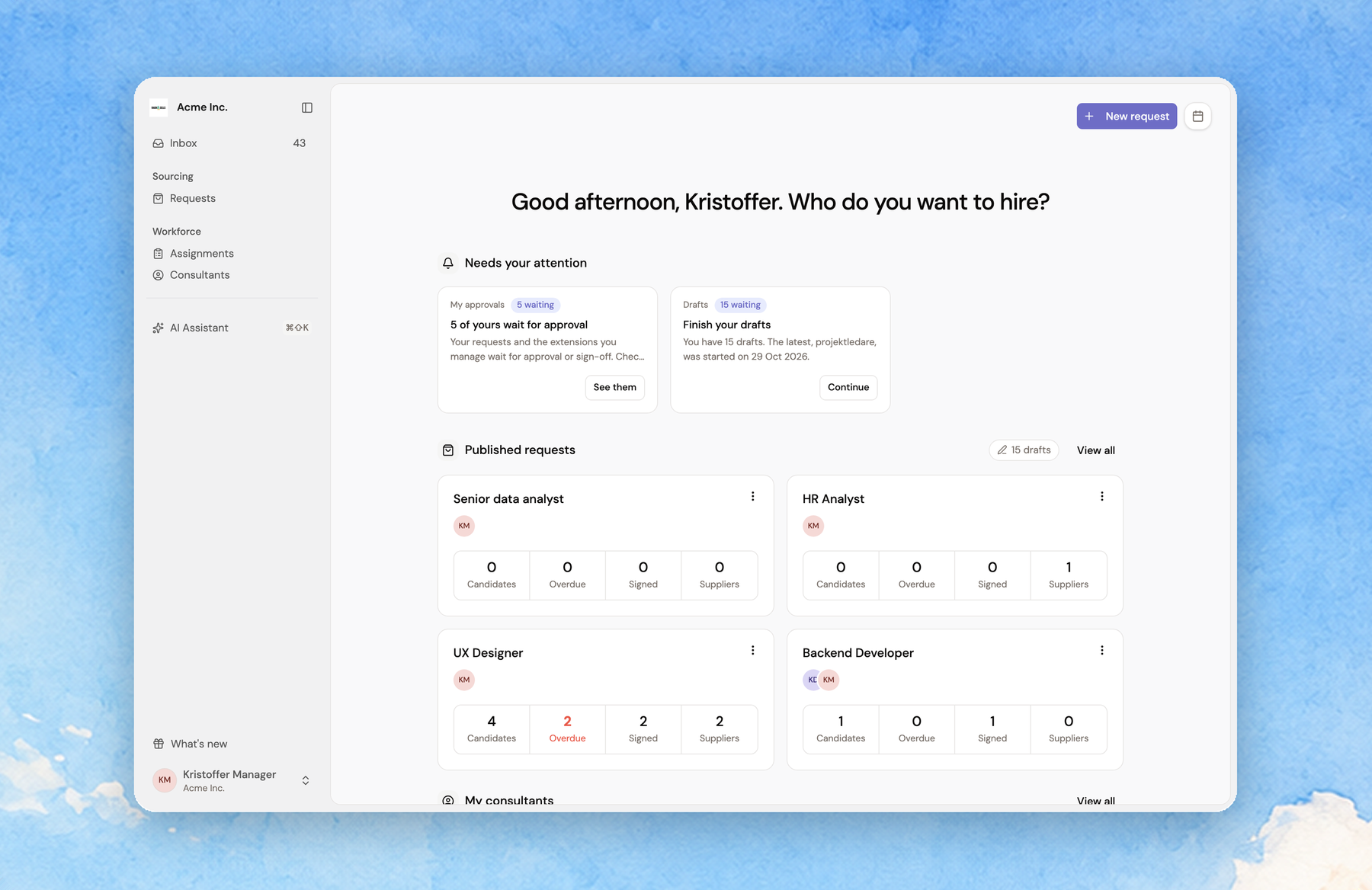
Meet the new Overview
The page you land on in Fill is now the Overview. It opens on what needs doing instead of a list of everything.
Needs your attention shows your next steps as cards: approvals that wait, assignments ending without an extension answer, candidates who have waited too long, missing contracts and unfinished drafts. Each card's button takes you straight to it.
Administrators also see at a glance how the organisation's assignments stand: consultants working, ongoing assignment value, remaining spend and average hourly rate, each with a line over the past year. Managers see their own next steps, with their approvals first, then their published requests and the consultants they manage.
New request and your upcoming meetings sit in the top corner.