Compare candidates side by side
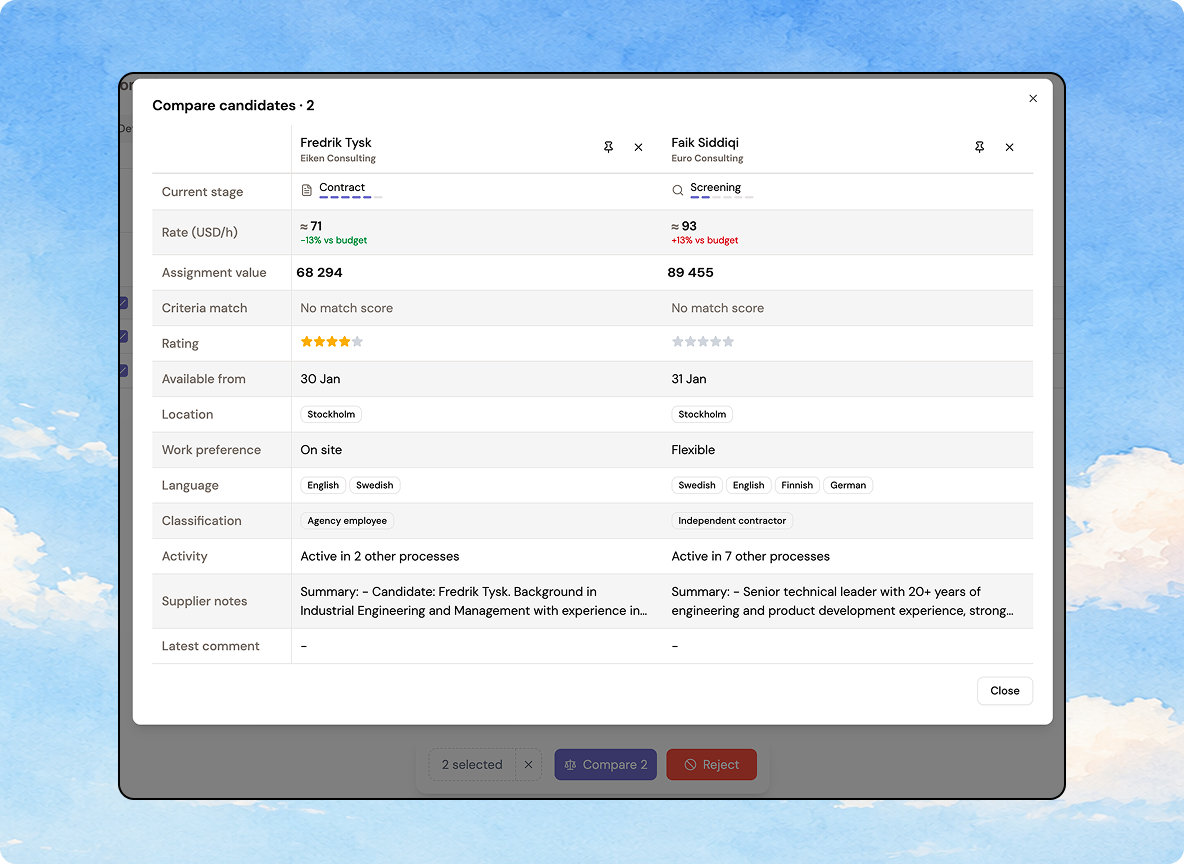
Stop comparing candidates from memory. Tick 2–10 candidates in an interim report and open Compare to see rate, profile match, rating, availability, language, and supplier notes side by side in one grid.
Pin your frontrunners so they stay visible while you scroll the rest, add or remove candidates without closing the view, star-rate inline, and click a name to open the full candidate card on top.

You can also start a comparison straight from a candidate card's Next step menu.